


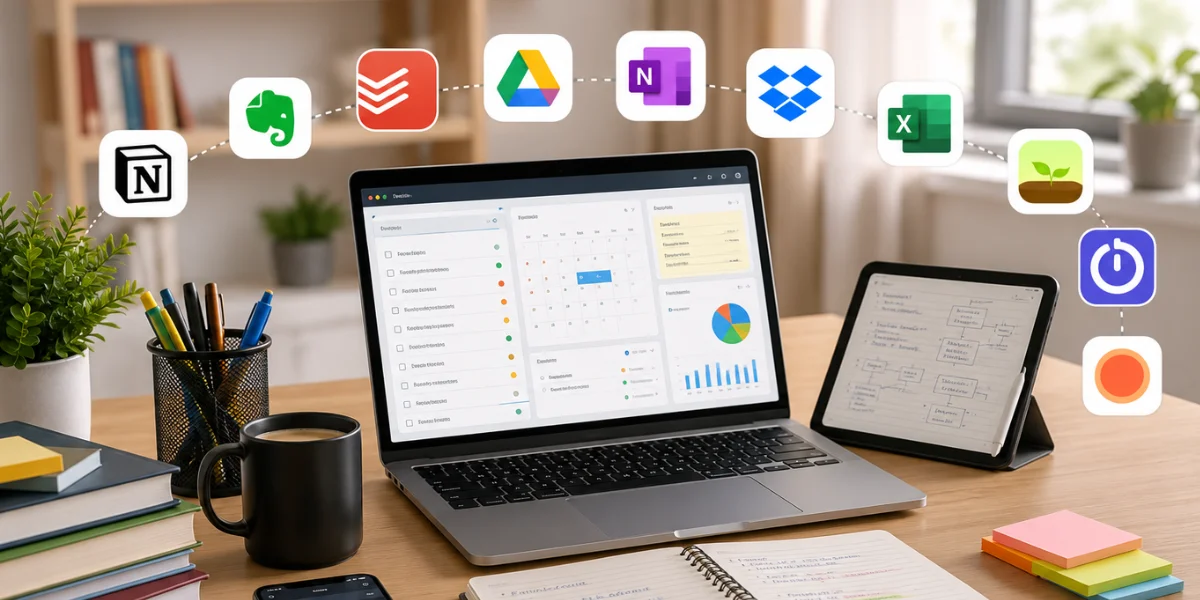
Preparing for CA, CMA, or CS is a long, demanding journey. Between coaching classes, self-study, mock tests, and revision cycles, most students juggle far more than their syllabus alone. Add articleship or internship responsibilities on top of that, and staying organized becomes just as important as staying disciplined.
This is exactly where the Best Productivity Apps for Students can make a real difference. The goal isn’t to add more screen time; it’s to replace scattered notebooks, missed deadlines, and last-minute cramming with a system that actually works. In this guide, we’ll walk through ten apps worth using in 2026, how to combine them into a routine, and the mistakes to avoid along the way.
What Makes a Good Study App?
Before picking any app, it helps to know what to actually look for. A good study app should:
- Save time rather than add extra steps to your routine
- Work across both phone and laptop, so you’re never locked out of your notes
- Be simple enough that you don’t spend more time organizing than studying
- Support your specific need, whether that’s revision, focus, or scheduling
- Ideally, have a free version that covers most of what you need
With that in mind, here are ten apps from our list of the Best Productivity Apps for Students worth adding to your routine this year.
Top 10 Productivity Apps
1. Notion
Overview: An all-in-one workspace for notes, planning, and organizing study material in one place.
Best Features: Custom templates, databases for tracking syllabus progress, and the ability to link notes across subjects.
Availability: Android, iOS, Web, Desktop
Free/Paid: Free for individual use, with paid plans for advanced features
Why Students Should Use It: Notion lets you build a single dashboard for your entire CA, CMA, or CS journey, including subject-wise notes, revision schedules, and progress trackers, all without switching between five different apps.
2. Google Calendar
Overview: A scheduling tool to plan study sessions, mock tests, and deadlines.
Best Features: Recurring event reminders, color-coded subjects, and syncing across devices.
Availability: Android, iOS, Web
Free/Paid: Free
Why Students Should Use It: With multiple subjects and exam groups to manage, a visual weekly view helps you spot free hours and avoid last-minute scrambling before deadlines.
3. Forest
Overview: A focus app that gamifies staying off your phone during study sessions.
Best Features: Grow virtual trees while staying focused, with a real tree-planting initiative tied to the app.
Availability: Android, iOS
Free/Paid: Paid on iOS, free with ads on Android
Why Students Should Use It: Phone distractions are one of the biggest productivity killers during long study sessions, and Forest turns focus into something visual and rewarding instead of just willpower alone.
4. Todoist
Overview: A task management app for organizing daily to-do lists and long-term goals.
Best Features: Priority levels, recurring tasks, and productivity tracking through streaks.
Availability: Android, iOS, Web, Desktop
Free/Paid: Free version available, with a paid Pro plan
Why Students Should Use It: Breaking down large syllabus chapters into smaller daily tasks makes preparation feel far less overwhelming, and Todoist is built exactly for that kind of breakdown.
5. Microsoft OneNote
Overview: A digital notebook for organizing handwritten and typed notes by subject.
Best Features: Handwriting support, tagging, and easy searchability across notebooks.
Availability: Android, iOS, Web, Desktop
Free/Paid: Free
Why Students Should Use It: For students who prefer writing over typing, OneNote lets you combine handwritten notes with typed content, keeping everything searchable in one notebook instead of scattered across physical pages.
6. Anki
Overview: A flashcard app based on spaced repetition, ideal for memorizing formulas, sections, and provisions.
Best Features: Custom flashcard decks, spaced repetition algorithm, and shared community decks.
Availability: Android, iOS, Web, Desktop
Free/Paid: Free on Android and Desktop, paid on iOS
Why Students Should Use It: Subjects like Law, Tax, and Accounting Standards involve heavy memorization, and Anki‘s spaced repetition system is scientifically designed to help you retain information longer with less repeated effort.
7. Focus To-Do
Overview: A combination of a Pomodoro timer and a task manager in a single app.
Best Features: Customizable focus sessions, task integration, and productivity reports.
Availability: Android, iOS, Web, Desktop
Free/Paid: Free version available, with a paid Pro plan
Why Students Should Use It: Long study sessions without breaks often lead to burnout, and structured Pomodoro cycles help you maintain focus while still giving your mind regular recovery time.
8. Google Drive
Overview: Cloud storage for saving notes, scanned documents, and study material.
Best Features: Free storage, easy sharing, and access across all your devices.
Availability: Android, iOS, Web, Desktop
Free/Paid: Free up to 15GB, paid plans for more storage
Why Students Should Use It: Losing notes to a crashed laptop or lost notebook is avoidable. Google Drive ensures your material is backed up and accessible from anywhere, including during last-minute revision at a friend’s place.
9. ChatGPT
Overview: An AI tool for concept clarification, doubt solving, and generating practice questions.
Best Features: Instant explanations, custom practice questions, and simplified breakdowns of complex topics.
Availability: Android, iOS, Web
Free/Paid: Free version available, with a paid Plus plan
Why Students Should Use It: When a concept doesn’t click from your study material, ChatGPT can rephrase it differently, generate quick practice questions, or break down a tricky topic step by step, almost like an always available study partner.
10. Microsoft Lens
Overview: A scanning app that converts physical notes and documents into clean digital copies.
Best Features: Auto cropping, OCR text recognition, and direct export to OneNote or PDF.
Availability: Android, iOS
Free/Paid: Free
Why Students Should Use It: For students who take handwritten notes in class or coaching, Microsoft Lens makes it effortless to digitize and organize them without manually retyping anything.
Quick Comparison Table
| App | Category | Free/Paid | Best For |
| Notion | Organization | Free (Paid upgrade) | All in one dashboard |
| Google Calendar | Scheduling | Free | Planning study sessions |
| Forest | Focus | Freemium | Reducing phone distractions |
| Todoist | Task Management | Freemium | Daily to-do lists |
| OneNote | Note Taking | Free | Digital notebooks |
| Anki | Revision | Freemium | Spaced repetition memorization |
| Focus To-Do | Time Management | Freemium | Pomodoro study sessions |
| Google Drive | Storage | Freemium | Cloud backup of notes |
| ChatGPT | AI Assistance | Freemium | Concept clarification |
| Microsoft Lens | Scanning | Free | Digitizing handwritten notes |
Feeling overwhelmed trying to figure out which apps actually fit your study style? Agarwal's mentorship program helps CA, CMA, and CS students build a personalized study system that works.
How to Combine These Apps Into One Study Routine
Having ten apps installed means nothing if they aren’t used with intention. Here’s a simple way to structure your day around them:
Morning Planning: Start your day by checking Google Calendar for scheduled sessions and reviewing your Todoist list for the day’s priorities.
Revision: Use Anki for quick spaced repetition sessions, especially for formulas, sections, and standards that need repeated recall.
Mock Tests: Block dedicated time using Focus To-Do’s Pomodoro sessions to simulate exam conditions without distractions.
Note Organization: Scan handwritten notes with Microsoft Lens and store everything centrally in OneNote or Notion, so nothing is scattered across multiple places.
Weekly Review: Every weekend, use Notion to review completed topics, adjust your Google Calendar for the week ahead, and back up all notes to Google Drive.
This kind of layered routine, where each app has one clear job, tends to work far better than trying to force a single app to do everything, and it’s a pattern that shows up across most of the Best Productivity Apps for Students once you look closely at how top scorers actually structure their day.
Mistakes Students Make
- Installing too many apps: More apps often mean more clutter, not more productivity. Pick a few that genuinely fit your routine instead of trying all ten at once.
- Not following schedules: Planning a routine in Google Calendar or Notion means nothing if you don’t actually check and follow it daily.
- Depending only on digital notes: Digital tools are great for organization, but writing by hand still helps with retention, especially for law- and theory-heavy subjects.
Not sure how to build a sustainable study plan around these tools?
Agarwal offers one-on-one study planning sessions tailored to your exam stage and schedule.
Conclusion
Technology should support your preparation, not replace disciplined study habits. The apps listed in this guide are tools, not shortcuts. They work best when paired with consistency, a realistic schedule, and the discipline to actually follow through day after day. Start with two or three apps that solve your biggest current struggle, whether that’s distraction, disorganization, or revision, and build from there rather than trying to overhaul your entire system overnight.
Want expert guidance on building a study system that actually works for your CA, CMA, or CS journey?
Connect with us today for personalized mentorship and study planning support.
Frequently Asked Questions (FAQs)
Which app is best for CA students?
There isn’t a single best app, since different apps solve different problems. Notion works well for overall organization, while Anki is excellent specifically for revision and memorization.
Is Notion good for exam preparation?
Yes, Notion is highly customizable and works well for tracking syllabus progress, organizing notes, and building a personal study dashboard in one place.
Which Pomodoro app is best?
Focus To-Do is a strong choice since it combines Pomodoro timers with task management, making it easier to stay on track during long study sessions.
Are free study apps enough?
Yes, most of the apps listed here offer free versions that cover everything a student needs, and paid upgrades are only necessary for advanced features. Even without spending anything, students can access most of the Best Productivity Apps for Students in their free tiers.
Can ChatGPT help CA students study?
Yes, ChatGPT can help clarify difficult concepts, generate practice questions, and simplify complex topics, making it a useful supplementary tool alongside your regular study material.
